Setup
Can I migrate HubSpot data to HighLevel?
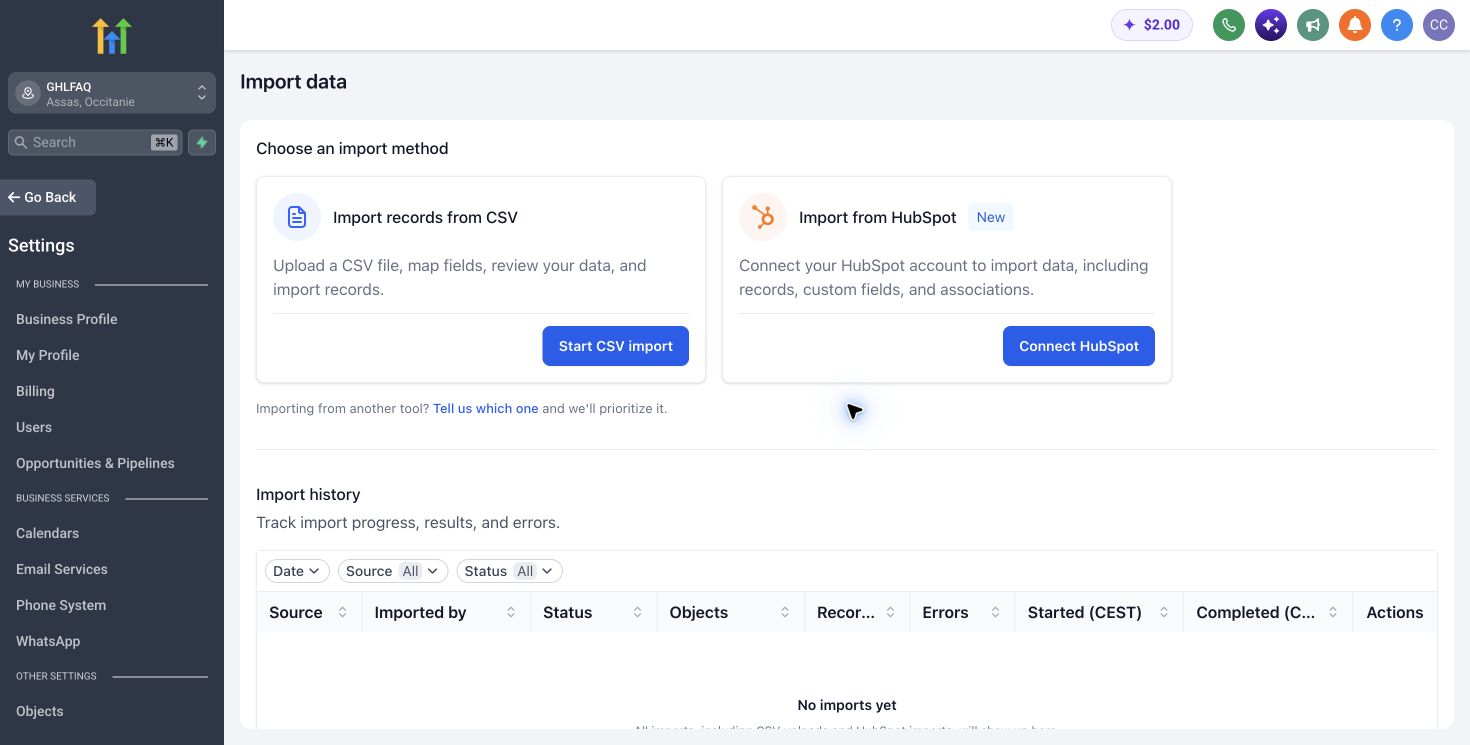
What the importer can move
The current importer supports contacts, companies, opportunities, pipelines, stages, custom fields, emails, notes and tasks, subject to documented limits.
Turn this part of the decision into a written acceptance test for “Can I migrate HubSpot data to HighLevel?”. Record the baseline, expected change, named owner and evidence required to approve it. The test should cover data, domains, sender identity, users, workflows, acceptance tests and rollback. Use representative records and normal operating volume, not an ideal demonstration account. Record assumptions separately from verified behaviour so a pricing or product change can be reviewed without rewriting the conclusion.
Inventory before migration
Before moving data, inventory properties, associations, owners, pipelines, lists, forms, workflows, templates, consent records, integrations and reports. Classify each item as import, rebuild, archive or retire, and record source totals and acceptance tolerances.
Test the recommendation with a normal case, a high-volume case and one failure case. For this question, the review should include data, domains, sender identity, users, workflows, acceptance tests and rollback. Assign every exception to a person, define the response time and preserve a safe manual route. Capture the actual time, cost and outcome. If the process succeeds only with builder intervention or perfect data, it is not ready for wider deployment.
Validate a representative sample
Use a clean non-production location first. Back up HubSpot and import a representative sample containing valuable, old, incomplete, opted-out and associated records. Compare counts, fields, owners, dates, consent, activities and warnings.
Rebuild the operating logic
Forms, automations, permissions, integrations and reporting logic need a separate migration map. Rebuild one complete lead-to-revenue journey and test normal, duplicate, missing-data and opt-out cases. Moving records is not the same as moving the operating system.
Plan a controlled cutover
Run both systems in a controlled overlap and reconcile before redirecting forms, calendars, numbers or sending domains. Obtain business-owner sign-off, keep the source read-only for an agreed period and document rollback, final exports and deletion responsibilities.
How to verify this answer
What we checked
The answer is checked against the primary sources listed below and distinguishes published product facts from our operational judgement.
What can vary
Availability, limits, usage charges and interface details can vary by plan, country, account configuration and release date.
What to test yourself
Reproduce the recommendation with one representative workflow and your own data before changing a live system or buying annually.
Sources checked
Product capabilities and prices can change. These primary sources were checked for this analysis.
GHLFAQ