CRM
Can HighLevel import contacts from CSV?
The practical answer
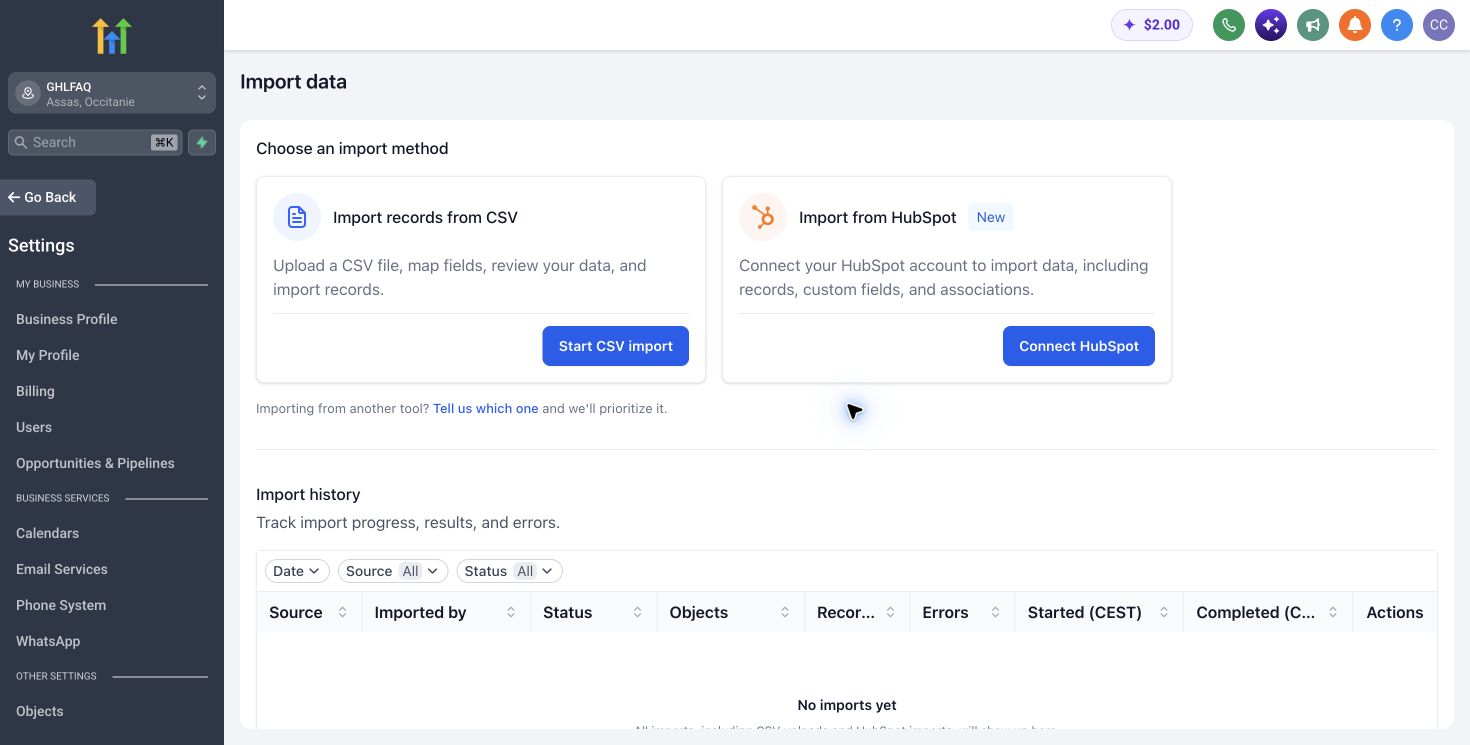
CSV import is suitable for standard contact migrations. Clean duplicates, normalise phone and email formats, decide how tags and custom fields map, and preserve the original export.
The trade-off
Import a representative sample into a non-production sub-account first. Record counts and warnings matter, but consent and communication eligibility must also survive the migration.
Define the data contract
Document required fields, allowed values, record ownership, identity rules and the system of record before importing or automating. Sample both clean and incomplete records. CRM reliability begins with predictable data, not dashboards.
Turn this part of the decision into a written acceptance test for “Can HighLevel import contacts from CSV?”. Record the baseline, expected change, named owner and evidence required to approve it. The test should cover record identity, required fields, ownership, handoffs, activity history and reporting. Use representative records and normal operating volume, not an ideal demonstration account. Record assumptions separately from verified behaviour so a pricing or product change can be reviewed without rewriting the conclusion.
Run the operator test
Ask the people doing the work to complete a representative update, handoff and follow-up without builder assistance. Measure clicks, missing context and workarounds. Simplify the model before automating a process operators cannot follow.
Test the recommendation with a normal case, a high-volume case and one failure case. For this question, the review should include record identity, required fields, ownership, handoffs, activity history and reporting. Assign every exception to a person, define the response time and preserve a safe manual route. Capture the actual time, cost and outcome. If the process succeeds only with builder intervention or perfect data, it is not ready for wider deployment.
Govern changes after launch
Assign owners for fields, pipelines, permissions and reports. Review duplicates, overdue work and stage ageing on a fixed cadence. Test structural changes in a safe account before applying them to live records.
Review the result after 30, 60 and 90 days using the same cohort and definition of success. Compare the forecast with actual evidence for record identity, required fields, ownership, handoffs, activity history and reporting. Investigate variance before adding accounts, traffic or automation. Keep the decision reversible: document exports, dependencies, the person authorised to change the configuration and the condition that would trigger a rollback, downgrade or move to a specialist tool.
How to verify this answer
What we checked
The answer is checked against the primary sources listed below and distinguishes published product facts from our operational judgement.
What can vary
Availability, limits, usage charges and interface details can vary by plan, country, account configuration and release date.
What to test yourself
Reproduce the recommendation with one representative workflow and your own data before changing a live system or buying annually.
Sources checked
Product capabilities and prices can change. These primary sources were checked for this analysis.
GHLFAQ